 Kid Doodle
Every parent has lived it: thirty minutes into the flight, the "downloaded" show won't play, the game demands a connection to load a level, and a toddler meltdown is boarding at gate two. The fix is choosing apps that are genuinely offline — not "offline after they phone home."
Why "offline" often isn't
Many kids apps advertise offline play but still need a connection to verify purchases, load ads (the worst offenders), or fetch content packs. The failure mode is always the same: it worked at home on WiFi, and fails at 35,000 feet. Apps with third-party ads are the biggest risk — no connection often means no content. An app that ships everything in the download, with no ads at all, simply cannot fail this way.
The pre-trip iPad prep checklist
- Install and open every app at home first. First launches sometimes download extra content — do it on home WiFi.
- Run the airplane-mode test. Enable airplane mode, open each app, and play for two minutes. Anything that breaks gets deleted.
- Charge everything, pack a battery. Coloring apps like Kid Doodle are light on battery compared to video — a real advantage on long-hauls.
- Kill the volume anxiety. Kid Doodle has per-screen music and volume controls, so you can silence music but keep the narrator, or mute everything and let the coloring carry itself.
- Set up Guided Access (Settings → Accessibility) to lock the device into one app — no accidental exits, no settings tourism.
Why coloring beats video on a plane
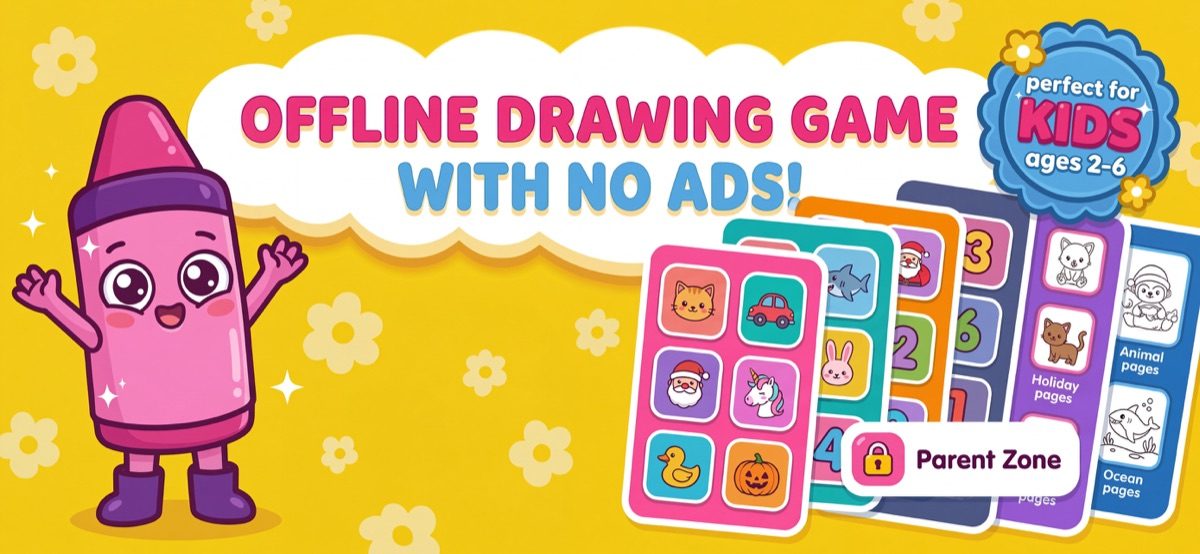
Passive video makes time crawl for a toddler and often ends in the overstimulated-crash cycle. Coloring is active: choosing colors, filling shapes, finishing a page — each is a small task loop that genuinely absorbs kids for stretches that surprise parents. It's also silent-friendly, screen-brightness-friendly for the dimmed cabin, and doesn't depend on the seatback WiFi you already know is not going to work.
The Kid Doodle travel setup, in 3 minutes
- Download Kid Doodle at home and open it once — everything installs with the app, no extra content downloads.
- If your child has a favorite theme, unlock that book before the trip (one-time purchase, no connection needed after).
- Do the airplane-mode test together — call it a "practice flight." Your toddler gets familiar with the app; you get peace of mind.
- On the plane: hand it over on a fresh page. Rotate themes (dinosaurs → ocean → vehicles) at each snack break to reset engagement.
Frequently asked questions
Does Kid Doodle need WiFi to work?
No. Kid Doodle works 100% offline — every coloring page, tool, sound and the narrator work in airplane mode with no WiFi and no mobile data.
What's the best type of app for a toddler on a long flight?
Active, open-ended apps (coloring, drawing, building) hold toddler attention longer than passive video and don't depend on a connection. A coloring app with themed pages gives you a fresh restart at every meltdown-risk moment.