 Kid Doodle
At three, kids are in the golden age of scribbling: circles are appearing, lines have intention, and every drawing has a story. The right drawing app meets them exactly there — the wrong one frustrates them back to YouTube. Here's how to choose.
What a 3-year-old can really do on a screen
Developmentally, most 3-year-olds can draw circles and rough shapes, control a crayon stroke with their whole arm, and sustain 10–20 minutes of focused creative play. What they can't do: precise small movements, navigating menus, or recovering from "I ruined it" moments without help. A well-designed drawing app compensates — thick strokes make everything look intentional, tap-to-fill gives instant wins, and a one-tap eraser makes mistakes disappear along with the tears.
iPad or iPhone? (Both work)
An iPad gives more canvas for whole-arm drawing, which suits threes perfectly. But don't underestimate the iPhone in a restaurant queue — Kid Doodle's interface scales to both, and one purchase covers iPhone, iPad and Apple Silicon Macs with the same Apple ID. If you're handing over your own phone, enable Guided Access (Settings → Accessibility) so little fingers stay in the app.
Features that matter at exactly age three
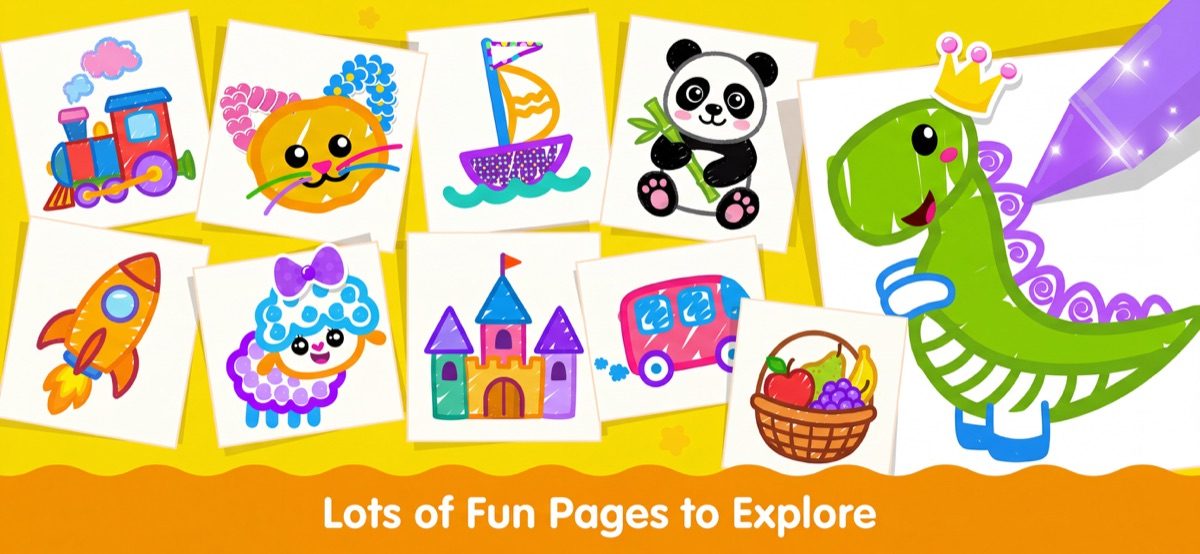
- The narrator. Kid Doodle's cheerful voice names every color and celebrates every finished page — a 3-year-old's vocabulary grows with every session.
- Magic fill bucket. Instant results before fine motor skills catch up — the win that keeps them drawing.
- Real drawing tools. Crayons, brushes and colored pencils behave like their physical counterparts, so skills transfer to paper.
- Stickers and glitter. At three, decorating is drawing. Sparkle keeps engagement high while control develops.
A first drawing session in Kid Doodle, step by step
- Open a coloring page from a favorite theme — animals and vehicles are the reliable hits at three.
- Start with the fill bucket: tap each area, hear the color named, watch it fill. Success in seconds.
- Switch to a crayon and let them scribble over the top — layering is how threes explore.
- Add a sticker or two, then tap save. The narrator celebrates; so should you.
- Next session, try the blank canvas mode for free drawing — circles, suns and the first "that's mommy!" portraits.
Frequently asked questions
Can a 3-year-old use an iPad drawing app independently?
Yes, if the app requires no reading and has large touch targets. Kid Doodle is designed so kids from age 2 can operate everything themselves — parents only need to open the app the first time.
Do I need an Apple Pencil for a kids drawing app?
No. At age 3, fingers are developmentally better — finger painting builds the hand strength that later supports pencil grip. Kid Doodle is designed for finger drawing first.